While reading the SecondLife Library 2.0 group posting, I came across this from Kathryn Greenhill from the Australian Libraries at Cybrary City (210,70,24).
DavePattern Ah, left his Library 2.0 Ideas Generator in the Australian Libraries Building. This first came out on his website in July. He's now embedded it in a granite monolith. Your avatar can touch it and it will create a random Library 2.0 idea..just for you. My favorite so far is: "Write a poem about the wonders of Michael Stephens and reach Library 2.0 Nirvana overnight." Just...one...more...mouseclick. Enjoy :)
Tuesday, December 12, 2006
Library 2.0 Ideas Generator
Thursday, October 05, 2006
#23 Comments on Learning 2.0
I must admit that I really enjoyed all of the discovery exercises that were offered in Learning 2.0. The Technology Summit pumped me up to dive into the program. Self-paced learning is one of the hallmarks of a library. Now that I've completed PLCMC's 23 I'll go over to Stephen Abram's 43 things and explore what he mentions.
Everyone I've spoken with really seemed to enjoy adding avatars to their blogs. Whether they used Yahoo! Avatars or Meez.com it was a hit with everyone. This carried over to the Librarian Trading Cards mentioned as part of Thing #6 Flickr 3rd Party Tools.
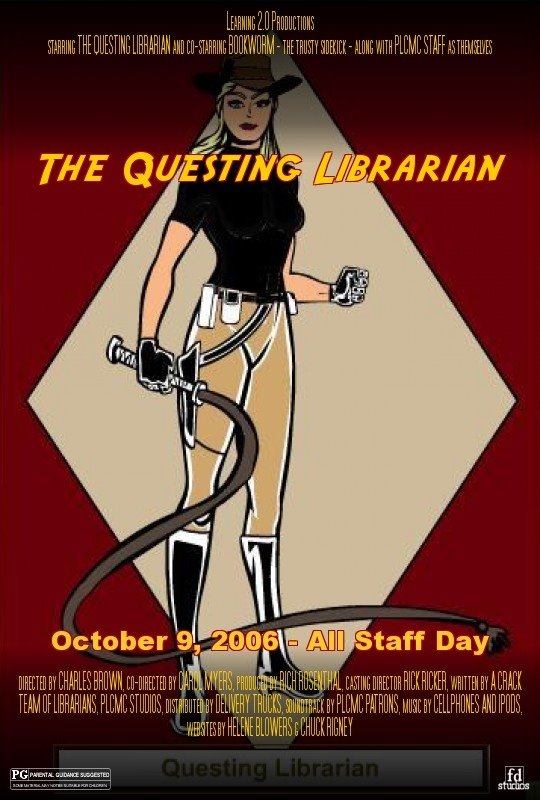
With Thing #10 Image Generators I got to bring my Librarian Action Hero to life with movie poster! I can see that others enjoyed them too based on the latest entry in Learning 2.0 - The L2 Image Slideshow. I know that many enjoyed Thing # 20 You Tube, Thing #21 Podcasting and Thing #22 Netlibrary but there wasn't as much making them "your own expression" as with the others mentioned.
Now I'd like to take that "avatar happiness" and hopefully apply it to the next generation of Library 2.0 and 3D Online Reference. A personal creative outlet meets service where the patrons are! And with my sharable customized start pages that I discovered as part of Thing #19 Web 2.0 tools I can keep track of all of these cool Learning 2.0 "things" in one place. Keeping track of these tools easily is the key to using them for resources and projects.
One thing that I would like to mention is that in order to complete each of the "23 Things" I found myself exploring while I was at work but posting my blog entries while I was at home so I wouldn't be distracted. For those staff that do not have computers at home, finding time to complete each of the entries was very much a challenge. I was especially concerned for the circulation staff because the majority of the circulation workstations to not have access to the open Internet, only sites on the PLCMC "yes" list through the proxy server.
If we did the project all over I would recommend that we:
1-Allow more time to complete the "23 Things". Some staff I spoke with lost their motivation to complete the project when they fell behind.
2-Put all the websites we are going to explore on the proxy server "yes" list so that circulation staff can access them from their workstations or have open Internet available on those workstations for the duration of the program.
3-Consider offering workshops for the "23 things". Even though some staff thrive on self-paced learning, others prefer workshops where they feel comfortable asking an instructor questions. Some staff felt uncomfortable asking others for help because they didn't want to prevent the helpers from completing their "things" too. Having a classroom setting lets a staff member step away from the day-to-day tasks and be able to focus on learning in an undistracted environment.
At my branch I felt these elements were there but I also want to say that everyone was very encouraging to each other. Anytime someone had a question there were mentors who were there to help. We all shared our successes and urged each other to continue so they could receive their MP3 player too!
If there was ever an incentive program like this in the future I know that I would probably participate. I'm sure the motivation from Learning 2.0 will inspire many other projects for some time to come. Now that we know about so many collabration tools it will hopefully make our jobs easier by not having to recreate the wheel everytime for resources and programming ideas but learn from others who shared through these Web 2.0 Tools.
Now I can go and read and comment on what other participants are saying and do a little sprucing up on my own little blog. :)
Wednesday, October 04, 2006
#22 Netlibrary : Downloadable eBooks
In exploring Netlibrary.com I actually found several audiobook titles that I was interested in. I have created my account and added many books to my favorites list. I'll be ready to download them on my MP3 player! This will give me a chance to listen to adult and children's classics and other authors such as Marion Zimmer Bradley, Brian Jacques and Elizabeth Peters that I may not have otherwise read due to time constraints. Our patrons will really enjoy having access to the audiobook collection of ESL and Foreign Language materials and the full text of the Holy Bible. I'll be sure to refer them to Netlibrary. 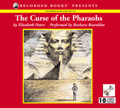 I deceided to download The Curse of the Pharaohs by Elizabeth Peters from Netlibrary. I chose "Download CD Quality" so that I could transfer it to the MP3 player. It said that it would download in 14 minutes over a cable modem. My file downloaded in about 6 minutes over a DSL modem. This was a 163 MB file with 6 Hours 39 Minutes of playing time. I opened it in Windows MediaPlayer and I was able play the audiobook. One thing I noticed right away is that there is no breakdown by chapter for easy reference. It is just one long audio stream. I had to remember to pause MediaPlayer and not stop it or I'd lose what time the story stopped on. I also tested it by closing out of MediaPlayer and opening it back up and sure enough it went back to the beginning. It does not remember where you stopped.
 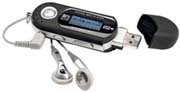 I hope that the MP3 player will have a way to pause the story even if it's turned off and then resume when it's turned back on again. Also, how is the MP3 player's battery charged and for how long? Would it be advisable to get a charger or is it automatically charged by putting it in a USB port? I hope to find out when I receive it.
Tuesday, October 03, 2006
#21 Podcasting - Directories and Creation Tools
Gabcast! Libraries & Technology #1 - Podcasting - Directories and Creation Tools
A verbal reproduction of my blog post about Learning 2.0 "thing" #21 - Podcasting.
Using Podcast.net I came across Talking with Talis and Amazon Wire.
Talking with Talis is hosted by Paul Miller from the UK. The focus is Library 2.0--where the movers and shakers of Web 2.0 and libraries come together to share their thoughts. Amazon Wire is the free podcast from Amazon.com which has interviews with the creators of books, music, and film.
Using the Podcastalley.com directory I found LibVibe. This is podcasts of the latest library headline news. At Yahoo! Podcasts I discovered NPR Books. This lead me to explore all the podcasting options available from NPR. There are a lot to choose from!
I was going to try to post a podcast of my own using Audioblogger.com but it is going away as of Nov. 1, 2006. They did offer other alternatives one of which is Gabcast.com. It does everything that Audioblogger does plus it has a 1-800 number too. It even has a feature where you can conference call a podcast. Great for interviews! So I went and set up an account. The instructions were straightforward and now you can hear this blog post as well as read it.
Monday, October 02, 2006
#20 YouTube : Video - The Mummy - In the Library
OK, I couldn't help myself. In keeping with the theme of the "librarian action hero" I chose The Library scene from the movie The Mummy (1999) featuring Rachel Weisz as librarian Evelyn Carnahan to add to my blog. Sometimes I feel that all librarians have had days like this! I almost chose Conan The Librarian as a post instead but it didn't have quite the "action hero" mold I was looking for.
It was really interesting to see what others had posted with the tags: library and librarian in YouTube. I really enjoyed the creative use that the folks at ImaginOn did with the clip, Troy Story. But also it seemed that searching for something specific was more difficult. Just typing in "library" brought up videos from inside actual libraries but also had quite a few spoofs like the Silent Library from Japan.
After looking at the site I thought it would be handy to have a library video search feature for the PLCMC family of websites. It would make a nice reference and PR tool. "Find Stars in Your Library!"
Wednesday, September 27, 2006
#19 Web 2.0 Tools - Start pages : "Pimped Out" Personalized Home Pages
It was very hard to just pick out "one" Web 2.0 Tool to talk about. I know that I didn't want to choose a tool similar to what we have already covered in the Learning 2.0 project so after looking at many types of resources I deceided that it would be best to look at start pages because it would be nice to have in one place all of these neat "things" we have been talking about. That way I can keep track of many more things that I could put in the sidebar of my blog. You could even create a separate library start page to help with reference questions or programming ideas if you wanted.
The three start page winners mentioned in the SEOmoz's Web 2.0 Awards grabbed my attention. I have been curious to know about what My Yahoo! alternatives were available. I was hard pressed to decide between the first two: Pageflakes.com and Google's Personalized Start Page.
Since I already have a Google account because of Blogger Beta I knew I had to try it out. Google's Content Directory is nicely separated out into category tabs for easy selection. It also lets you add your own modules or feeds. Nice. Although not as snazzy looking as Pageflakes, its ease of use was hard to beat.
Pageflakes has an AJAX start page which is more readable and easier on the eyes. It also has lots of feeds and "flakes" to populate your personal page with. It also organizes its content into categories but via drop down menus.
In both you could add your modules (pageflakes calls modules "flakes") or feeds and drag and drop them how ever you would like in you homepage layout. This is definately something that My Yahoo does not have. You can quicly add your own feed in both Pageflakes and the Google Start Page but Pageflakes doesn't have a way to let you add your own module yet. Google Start Page will let you add one via URL.
I probably use the Google Start Page for work related things and Pageflakes for personal stuff so that I can continue to monitor both for progress. I'm sure that at some point Pageflakes will let you add your own modules too. Overall start pages make a nice one stop shop for all of your personalized content.
#18 Web Based Apps - Writely
I discovered that Writely is also not supporting Blogger Beta yet so again I had to view my document as HTML, copy and paste the code into a post and do some clean up just like in Zoho Writer. Both are about the same in ease of use. The HTML tab in Writely is handy and only shows the code for the document. I did have to import the image directly into my blog post though and place it in the table in the blog. With Zoho Writer I didn't have to do that. So both have their pros and cons. I'll just be waiting for Blogger Beta support for either one so I can export directly.
 | Title: Egyptology : search for the tomb of Osiris : being the journal of Miss Emily Sands, November 1926-. Author: Emily Sands; Ian P Andrew; Nick Harris; Helen Ward; Dugald Steer Illustrator: Emily Sands; Nick Harris; Ian P Andrew; Helen Ward Publisher: Candlewick Press Pub Date: 2004 ISBN: 0763626384 Have you ever wanted to be an archaeologist like Indiana Jones? Then you would enjoy exploring the wonders of Ancient Egypt along with Emily Sands, explorer extraordinaire. Follow along in her journal scrapbook as she searches for the lost tomb of Osiris. The illustrations are very captivating. Every page will inspire you to explore the special features. These include postcards, envelopes, papyrus scrolls, foldouts, maps, treasure samples, minibooks, popups, and even playing pieces for a game of Egyptian Senet which is similar to checkers. Bring your magnifying glass because some of the text is hard to read. Will Miss Sands discover the mysterious tomb? Read and find out! If you would like other suggestions for reading take a look at Readers Club for adults and teens or Bookhive for young readers (or the young at heart!). |
Tuesday, September 26, 2006
#18 Web Based Apps - Zoho Writer
I thought I would take the book review that I did for the previous "thing" with wikis and see if I could create it with Zoho Writer and then save as .html code the way I wanted it.
 | Title: Egyptology : search for the tomb of Osiris : being the journal of Miss Emily Sands, November 1926-. Author: Emily Sands; Ian P Andrew; Nick Harris; Helen Ward; Dugald Steer Illustrator: Emily Sands; Nick Harris; Ian P Andrew; Helen Ward Publisher: Candlewick Press Pub Date: 2004 ISBN: 0763626384 Have you ever wanted to be an archaeologist like Indiana Jones? Then you would enjoy exploring the wonders of Ancient Egypt along with Emily Sands, explorer extraordinaire. Follow along in her journal scrapbook as she searches for the lost tomb of Osiris. The illustrations are very captivating. Every page will inspire you to explore the special features. These include postcards, envelopes, papyrus scrolls, foldouts, maps, treasure samples, minibooks, popups, and even playing pieces for a game of Egyptian Senet which is similar to checkers. Bring your magnifying glass because some of the text is hard to read. Will Miss Sands discover the mysterious tomb? Read and find out! If you would like other suggestions for reading take a look at Readers Club for adults and teens or Bookhive for young readers (or young at heart!). |
Once I figured out that I had to right click on the table to adjust
it the way I wanted things went a lot more smoothly. Having a
full feature text editor is really handy. This has so many more
features than the typical blog editor. It uses many of the standard
keyboard shortcuts already known to MS Office users. I did notice
however, that like many web based products that there is a delay
with saving if the Internet is very busy. The automatic save
feature helps in this matter. But otherwise it has many features
that I have come appreciate in a regular word processor. I wish it
had more help features and FAQs. That would have helped in my
struggle with understanding how to use the table feature.
Unfortunately Zoho writer does not support Blogger Beta so I can't publish directly to my blog.

I had to export the document and then copy and paste the source code into a blog post. Then I had to take out a lot of page breaks to get it to look somewhat decent. Oh well. I'm going to try Writely and see if I get better results.
Thursday, September 21, 2006
#17 PBWiki - Group Edited Webpage Creation Tool
I've added the Questing Librarian to the wiki plcmclearning : Favorite Blogs section. I also added a couple of Favorite Restaurants to the wiki as well. Then I experimented with adding a new page linked to the Favorite Books section. It is a book review on Egyptology from the popular "Ologies" series which include Dragonology, Wizardology, and Pirateology. Fairyopolis is similar to the "Ologies" series but is by a different publisher. I have also sent Egyptology and Fairyopolis to the children's book review site Bookhive for addition.
I just did some simple formatting for the book review entry in PBWiki because I'd have to look up how to put the text next to the book cover instead of underneath. It's a handy tool for easy editing of web pages. However, I'd have to consider all the factors of a software tool before I deceided to use it for what ever project I had in mind.
Wednesday, September 20, 2006
Blogger & Blogger Beta Comments
According to Blogger Buzz--Blogger beta and regular Blogger users are able to comment on each others blogs again. Hurray!
Tuesday, September 19, 2006
#16 Wikis - Group Edited Resources
I could easily see creating wikis for subject guides on topics similar to SJCPL's Subject Guides that we get asked about all the time. Especially for popular topics such as: local information, careers and jobs, geneology and local history, and senior exit projects. The IS File pathfinders on the Staff Intranet would be an excellent candidate for conversion. Also, I'm sure that every branch has staff finding lists for reader's advisory and homework support that would translate well to a wiki. The thing for any group wanting to create a wiki is to deceide--are we all going to create our own wiki on our topic and then link them in another wiki that links back to all of ours OR will there be one centralized library wiki and everyone goes in and adds posts on their topic? And how will we facilitate customer feedback? Will it be something that only librarians will contribute to or will patrons be able to contribute too? Also consider the costs of conversion, especially staff time required to do it.
The Book Lover's wiki looks like something the library already does with the Reader's Club website but with the ability of readers to add comments to a book that has been reviewed.
Library Success : a best practices wiki is a great idea. But like any group project it's only as good as it's contributions. Some areas don't have any entries yet.
The ALA 2006 New Orleans wiki was very easy to follow and understand. Everyone who is a conference participant would want to read the wiki to find out more information and topics of interest. They could also post what discoveries they had to share with others. I could see turning large library events into wikis such as the Novello Festival of Reading.
The Bull Run Library Wiki seemed like an example of a work in progress. It had features that were a cross between a blog and a wiki.
Other wiki examples that I found useful were:
1. The UCONN Library Staff Wiki. After looking at this site I immediately thought of our staff Intranet. If it was a wiki then all staff could post updates directly without having to go though a webmaster.
2. Biz Wiki from Ohio University. This is similar to our Bizling.org website. If conversion was an option, the same things that applied to the subject guides listed above would be factors here. Something else to consider--would it be better to just create a wiki separately as an adjunct to the website? Is there any other information that would be worthwhile adding that isn't already provided by the website?
3. The USC Aiken Gregg-Graniteville Library Wiki is sharp. Everything is so easy to find. I especially how they made finding articles in their online databases intuitive. It's not a cluttered site but everything seems within easy reach. What is difficult for any library homepage is to facilitate the fewest mouse clicks possible but still have the page not appear "busy". Also consider how much accessibility are you willing to give with the site--only have library staff add updates or have it open for all patrons? How will patron comments be presented? Will there be an assigned moderator of comments or will this be allowed to be moderated collectively?
4. The FLICC/Fedlink Environmental Scan Project blew me away with it's information. It's findings should make libraries take notice. A must read for anyone in libraries. Content and accessiblilty to all parts of the project were easy to follow with the outline in the sidebar and in the body of the page.
Subscribe to:
Posts (Atom)