

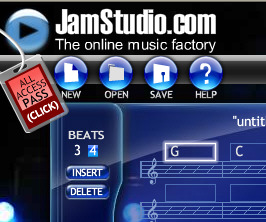
I easily created an account with Jamstudio. All that was needed was an email account and password. If I was musically inclined I'm sure that I would have played around with it more because there are infinate possiblites. Everything is available for preview so you can get your sound just right. Select your chords, choose your instruments, select your tempo, 4/4 or 3/4 time, and the sounds you want for each of your instruments. It even lets you play your pages in what ever order you choose for a long composition. I just created a very simple A A B A style pop song. Major cords in the A line, Minor cords in the B line. I called it "Trial and Error". You can share your song with others via email, including yourself.
This could be used to introduce students to the basic concepts of music and draw them in. Now they can be their own mix masters and not feel intimidated by the virtuoso composer in music theory class. I could also see the songs being used for what ever project you are working on--slideshows, programming, etc. because you certainly wouldn't have to worry about copyright since they are your own creations. Rock on JamStudio!
Wednesday, October 22, 2008
Thing 47: Rock On with Jam Studio
Tuesday, October 21, 2008
Thing 46: Updates, Part 2
Unfortunately the links in the Zoho Notebook that was used to explore Part 1 and Part 2 of the updates to the Original 23 Things do not directly work. You have to rest your mouse over the hyperlink and right click and open the link in another tab or window. It took me a bit to figure that out.
Library 2.0 - I think it has went from it's introduction phase to staff to implementation with patrons. We're comforable enough with its resources and terminology now to start thinking of how it can be implemented to facilitate the needs of patrons. From workshops to new communication tools, libraries are reaching patrons where they are to offer services.
Wikis - Wikis are wonderful for collaboration to pool information knowledge quickly as soon as its found out. People as a whole have more knowledge together than a singe person. I've seen wikis created for games and books so that players and readers can have a quick list of references. I have a wiki that is a humble work in progress that will be an archive of PLCMC gaming programming. I have everything stored in Box.net ready for linking, I've just got to design a nifty homepage to draw readers attention. *Sigh* So many projects, so little time.
Web Based Apps/Productivity - Zoho and Google are still king of the hill in the web based app world, but it will certainly be useful to let patrons know about other up and comers as options if needed such as Adobe Buzzword and Microsoft Office Live. It is simple phenominal how many web based apps that Zoho has created since 2006. Google Docs and Spreadsheets combined with all the other features that Google offers is another great package.
Web 2.0 Awards - I love Seomoz's Web 2.0 Awards so I was tickled to find The Crunchies - another set of Web 2.0 awards to compare them with. Crunchies is more for innovators in the field as a whole whereas the Seomoz awards have winners for each cateory of Web 2.0.
Video - YouTube and more. I am simply amazed at what is available online now. Now there's Joost, legally offering 20,000 TV shows a day, requires a software download; Myspace videos, and the major networks CBS, ABC, NBC, Fox now offer their shows but include commercials. PBS Videos are availabe via the library's NCLive subscription and some are available on Snagfilms. Snagfilms is a way for documentary creators to distribute their work. You'll see PBS, National Geographic and Indie documentaries that you would see featured at Sundance. If you have Netflix just download the player and view films online.
Podcasts - Most websites will have podcasts available in audio or video format. Just add to your feed reader. I've really enjoyed seeing things that I might otherwise forget to watch or listen to if not for my podcast feeds. This will be a natural extension of library programming with the advent of easy to film and upload devices such as the Flip. What a great outreach tool for patrons that are homebound or homeschooled!
Netlibrary and Overdrive - Our library's downloadable content is changing. NCLive is dropping Netlibrary so unless our library picks up the subscription on their own we will lose some great resources such as the Pimsleur Language Learning series. Overdrive's big claim to fame is that it is compatible with Ipods now but doesn't feature bestsellers yet or have a comprehensive foreign language collection. I do not like the overdrive media console. I liked that on Netlibrary you could at least view the ebook text inside the browser window without having to download or checkout. Now with Overdrive you do. I also used Netlibrary to supplement our print resources for adult learners taking online classes. Their college library is miles away and not everything is accessible through the college library's website. Overdrive's ebook collection is mostly entertainment. I don't see as much nonfiction. I hope this will be remedied by collection development so it will be a useful resource. Otherwise it will not be used.
Monday, October 20, 2008
Thing 46: Updates on the Original 23 Things
Blogger - I was fortunate that when I created my account on Blogger in 2006 I was one of the lucky that were selected to use the New Blogger when it was in beta. So I got to learn Blogger in it's new format. I also use Facebook and browse Myspace but have been hesitant to create an account on it. Facebook seems more civilized than Myspace. Myspace makes me feel like I would be exposed more than I would be comfortable with.
Flickr - Flickr Uploadr and Picnik have made Flickr an even more valuable tool. I haven't heard about Flickr Places so this was a welcome find. It uses geotagged photos and gives you a listing of groups and featured photographers that focus on that place. I can't believe all the new Flickr mashups available. Wow! I was intrigued by the All of Ibiza from one Google Map.
Bloglines - I was considering Google reader but when Bloglines updated its features in it's Beta I decided to stay with it. For finding feeds I still like Technorati but I also like Google Blog search. I've come across single topic image generators that I've bookmarked, but none have come close to the archival depth of the Generator Blog, keep up the good work guys!
LibraryThing- I still like to use LibraryThing, but I also add books to my Facebook accout using Visual Bookshelf. I also like to use the LibraryThing widget for my bookclub blog to list what we have read.
Rollyo - Rollyo is still king of the self made federated search of websites you trust. Keep on rolling!
Sunday, October 19, 2008
Thing 45: Flow Charts and Mind Maps
 I chose Gliffy to explore as a web-based flow chart utility and MindMeister as my web-based mind map/brainstorming utility. Setting up accounts on both was simple. Gliffy let you create your flow chart directly after making an account but needed email confirmation before you could make it public. MindMeister needed email confirmation before letting you use the tool but it showed up in my email in no time. Since I am on vacation at this point, I thought I would use it to toss around some ideas for how to spend my time. "What to do on vacation?" is what I called my flowchart diagram and mind map. I know that my flowchart is not technically correct since I did not link anything. But I got my thoughts down to see them.
  I liked that MindMeister gave you a video tutorial immediately after logging in. Their help files were very nice too. Gliffy's layout was very intuitive and labeled very well. I had a flow chart of vacation ideas in no time. I would probably use flowcharts for conveying ideas to a group and mind maps for personal brainstorming and exploration. It's nice to have a tool that lets you visualize your ideas and their connections to decisions that you make.
Tuesday, October 14, 2008
Thing 44: Jott this down

I've always wanted my own personal transcriptionist. I remember seeing old movies and TV shows where a person, usually a secretary, would transcribe something for some important "pooh-bah". They would have to know some superhuman shorthand. Now I get to be the special "pooh-bah" with Jott! Jott, would you please take this down? I could get used this. ;)
Setting up an account was very easy. I called in a reminder to myself to check out the Learning 2.1 blog next Monday. The "How To" links on the Learning 2.1 blog post were dead but they were simple enough to find on Jott's site. With the Basic Account, it shows you how to create a Jott Note, Set a Reminder, Post a Jott Link, Listen to a Jott Feed, and Add an Item to a List. There are even downloadable apps for your favorite gadgets like: desktop widgets, iPhone, iGoogle gadget, Outlook and Blackberry. It even gives you tips on improving your transcriptions.
I created some "To Do" lists and sent email to individuals that I had imported from my Plaxo account. However, if I wanted to send a group email I would have to upgrade my account. I'll be Jotting this blog post but I wanted to type it out first so that it would sound coherant and include all that I wanted to say. Jott walks you though how to do it on their how-to page. Also, you can name new lists and organize them in what ever order you like.
It looks like "Jott the Vote" is no longer active. You'll no longer be able to contact the candidates to give them your questions, comments and concerns and have your message posted on Jott the Vote. I guess Obama and McCain have other Web 2.0 gizmos to keep them occupied. I also learned how to Jott to Twitter and sent a little verbal update its way. If you want to hear the Questing Librarian blog via your phone, you can now do that via Jott. Check out the "Listen to the site with Jott Feeds" widget in the right sidebar of this blog under Subscribe. Thanks Jott for helping to write down ideas at the moment of inspiration and store for later use. A very useful tool.
Sunday, October 12, 2008
Thing 43: Getting Musical with MIDIs
I was amazed at how many songs on the Internet had MIDI versions. I'm not a musician, so I won't be using MIDI sequencers for creating songs anytime soon, but it was good to find out what they can do. I didn't want to download any software for this exercise so I used Jamie's online sequencer suggestion from the Learning 2.1 activities forum. For my song, I decided to try Scott Joplin's "Maple Leaf Rag" from Ragtime Piano MIDI files by Warren Trachtman. There were plenty MIDIs of this song to choose from!
I saved one to my hard drive and then uploaded it to the Online MIDI Editor. I could choose to play the song in Quick Time, Windows Media, or Real Media. The editor let me transpose up or down 1 octave at a time, double the tempo or half the tempo, delete tracks so that I could hear a single part played. In the case of "Maple Leaf Rag" there are the right and left hand piano parts so you could take one of them out to just hear one side. I can really see how a musician would appreciate this so you could hear how your particular part should be played out of the entire composition. You could also show the midi result as text. You could always revert to the origial file at any time. When you created a new MIDI from your original track, it gives you the option to save the altered file.
As for finding sheet music for the song, I tried to download the suggested MidiNotate Player v.1.1.1 but it was no longer available from the Hitsquad Musician Network - Shareware Music Machine. So I did a search for Maple Leaf Rag sheetmusic and came up with one from Free-Scores.com. Guitar Chords were available at FolkGuitar.us. Since the song was first published in 1899 I thought it might be available online.
I can certainly see the usefulness of MIDI files for musicians to help them learn the parts of a song and to fill in parts when not all members of the band are present. Their small size makes for easy downloads. As for myself, I'll probably use them mostly to make my slideshows more interesting.
Sunday, October 05, 2008
Thing 42: Following Discussions with Usenet News/Google Groups
I've used usenet newsgroups for quite a while and was delighted when Google took over and maintained the Usenet newsgroup archive from DejaNews. I find that I use usenet for very specific things such as the alliancesecondlife and the LibGaming groups. I also like to see if the books I'm offering as selections in our branch book club are being discussed. It's a place to get ideas for book discussion questions.
I browsed Society.libraries.talk and subscribed to it. I don't know that I will use it often but it is good to see what is being posted. Expecially if something about libraries or librarians comes up in the mainstream press and what people are saying about it.
Overall Usenet/Google Groups works best when there is a group of dedicated users that want a place to discuss topics by invitation only. That way you always know that the messages will be on topic. I suspect that special social networking sites like Ning are also eating away at its user base, but Usenet/Google Groups offers the flexability of having discussions posted to your email in what ever format you choose.
Sunday, September 28, 2008
Thing 41: Going Native with Live Mocha

The hardest part of this exercise for me was deciding on what language I was going to explore. As a student I studied French, but I wanted an all together different experience. I narrowed it down to Japanese and Mandarin Chinese and had a tough time deciding at that point. There are aspects of both cultures that I enjoy but when it comes to purely speaking the language, the tones of Chinese sound like flowing musical notes to me, circular like a Tai Chi form. Japanese seems stacatto and linear. Like a katana strike. So I decided to step out into the unknown wilderness of Mandarin Chinese.
Creating an account on Live Mocha was simple, pick your language and add a little information about what you are looking for in a language buddy. You can post what country you are from if you like. In less than an hour I had four people send me friend requests to want to be a language buddy. There is no pressure to begin speaking with a buddy. You can start when you are ready.
You can really go at your own pace with Live Mocha. You start with learning the pronunciation and Live Mocha shows you a slide and the Pin yin words to start with. There is space below to write what you think it means. Since many others have taken the beginning part of the course, the answers had already been filled in. I'll be repeating things for a while to get used to the tones. For some sounds there is no English equivalent and I feel like I'm speaking from the back of my throat. You then proceed to reading, listening, magnet (match the words to the corresponding box), writing, and speaking. You get points along the way and are shown your progress at all times to keep you motivated. Overall Live Mocha was a fun experience and not intimidating. Take your time and enjoy the exploration. Before you know it you'll start to feel comfortable with your new language adventures. I'm sure that I'll take Japanese as well just to compare the experiences.
For our library this is a great tool to offer as a referral if our foreign language materials are checked out and the patron can't fit a CPCC or Crossroads Cafe language course into their schedule or book a time at the International House. We just lost our subscription to Rosetta Stone and at the first of year, 2009, we'll lose Netlibrary--which means no more Pimsleur Language Learning digital audiobooks either. Our new digital media provider, Overdrive, has some foreign language materials but not extensive. So Live Mocha will fill many language learning needs and fit any schedule.
Xie_Xie/Arigato Live Mocha!
Monday, September 22, 2008
Thing 40: Going Retro

I created an account on Retroland and began exploring its version of the wayback machine called "The Retropedia." Browsable by topic or you can search by keyword, Retroland gives you many avenues for exploration. You can browse by TV, Movies, Toys, Music, Fashion, Arcade Games, Food, Places, and School Daze. I guess what surprised me most was how much junk food was popular in every era! No wonder we keep dentists in business. The other thing that surprised me was that many people enjoyed the same things at school, with field trips topping the list.
Things that I was reminded of that brought back a smile were The Muppet Show, Willy Wonka & The Chocolate Factory, The Empire Strikes Back, The Princess Bride, trips to the beach with my grandparents and playing games like canasta, UNO and Monopoly, PB&J sandwiches, popcorn, and Coke Classic-when it was still made with sugar instead of high-frutose corn syrup. I would make my granddad laugh when I repeated the commercial slogan, "Ahh, Now that's the real thing!" We would keep it in the car on the way to the beach because it would keep me from getting motion sickness. I also enjoyed browsing the Book Worm forum and seeing how many entries were posted for favorite comic books and Dr. Seuss.
Retroland certainly made it easy to navigate popular culture by decade. This will be a useful supplement for students who have been assigned a particular decade and need to find out what was popular during that time.
Sunday, September 21, 2008
Thing 39: Animoto Energizes Your Photos
Here is the short video I created with Animoto.
Video Title "Touring Asian Gardens"
Producer Christie BW - The Questing Librarian
Images/duration 11/0:30
Track Tafubar - The Wicked Thoughts of You (MoShang Asian Space Mix)
Artist MoShang & Various Artists*
Video description - US National Arboretum, Asian Collections and Bonsai and Penjing Museum, Washington DC (1/21/01) during ALA Midwinter.
My experience with Animoto was very straight forward. My only delay was that the photos I wanted to use were still on floppy disks! I recently upgraded my computer and forgot that it does not carry a floppy drive, so off to the library with my photos I went to do the digital transfer. I started by uploading about 17 photos and then narrowed them down to the ones I most wanted in the clip. I ended up with 11 photos and found some nice creative commons music available at Jamendo by Tafubar, who had a guest appearance on MoShang's album. I then uploaded the video to my blog, emailed it to myself, added it to YouTube, Twitter, Facebook, and anything else I could think of.
I can certainly see some practical applications for promoting and showing the results of library events. These short clips could be used as attention grabbers or filler before programs. Overall a very nice tool. Thanks Animoto for making it easy!
Saturday, September 13, 2008
Thing 38: Comic Generators

After browsing several comic generators for library related strips, I came across two that I enjoyed. The first was Shelf Check #254 by Poseygalore on Toondoo.com. After just coming down from the summer reading marathon, I can really appreciate it. The second one I enjoyed was from StripGenerator. It's called "Whoa there, We got ourselves a Reader!" Great fun.
Next I signed up on ToonDoo to create a comic of my own. I called it Wonderland after Alice's Adventures in Wonderland. I took four photos and uploaded them to Flickr. Then I took the small size and uploaded it to ToonDoo using the ImaginR feature. The images appeared and you could crop just the part of the picture you wanted. You could also resize it. After you name and save, it's saved in your photo gallery for use. What took me the longest was choosing what background I was going to use that wouldn't clash with the photos. After that it was a snap to add the speech balloons. You can choose from several types and you can resize the balloons and even what direction they are oriented by dragging the mouse in the direction you want it to go.
I have had a few patrons with student assignments asking them to create a comic strip. Now I can offer them something that looks really snappy and it's fun to use. I can also use it to create fun publicity for programming. Another item for the Web 2.0 toolbox.


